

How AI for Project Managers Eliminates Endless Re-Explaining to Teams and AI Agents
By Hira • Jan 27, 2025
Is there a way to brief once and share that everywhere?
Every project manager has experienced this failure mode, even if they have never labeled it. A project does not collapse because the plan was bad or the team lacked skill. It collapses because understanding quietly erodes as work moves forward. Context thins out, assumptions drift, and what felt aligned at the start slowly fragments across people, chat agents, and timelines.
The breakdown usually starts in moments that feel harmless.
→ A new developer joins mid-sprint and needs “a quick overview.” → A stakeholder misses one meeting and relies on a summary. → You open ChatGPT to help draft a roadmap update, risk register, or client email.
And suddenly, you are explaining the project again. Not because you enjoy repetition, but because the system demands it.
You restate the scope so no one on the team misunderstands it.
You reframe the client’s priorities to keep the output relevant.
You rehash earlier decisions so no one repeats old mistakes.
You explain what failed last time, so history does not repeat itself.
To this point, it does not look like a communication problem at all, but a context-switching issue at scale. What makes it dangerous is that it hides behind the illusion of alignment.
AI Context Flow lets you create a single project brief that automatically syncs across all your AI chat agents (ChatGPT, Claude, Gemini) and shares it with your teams, eliminating repetitive explanations and saving 90+ minutes daily.
Phase 1: Kickoff Meeting → Alignment feels strong. Everyone nods. Energy is high.
Phase 2: Brief Status → The client approves the requirements.
Phase 3: Stakeholder Sync → Everyone appears on the same page, and no objections surface.
Phase 4: Execution → The PM discovers four bugs, three misinterpreted features, and a slipping timeline. Panic sets in.
Here’s what you figure out:
The team has built the features correctly, but for an absolutely wrong interpretation. In 10% cases, teams miss dependencies in user journeys because the reasoning behind earlier decisions never traveled with the task. Edge cases resurface even though they were “already discussed.” Timelines slip, not because people moved slowly, but because they moved in slightly different directions.
At that point, panic sets in. Not because something suddenly went wrong, but because something had been degrading quietly for weeks.
The uncomfortable question follows: if alignment existed earlier, what exactly broke?
The project context did not survive the handoffs.
For modern teams, especially those using AI chat agents for planning, documentation, and execution support, this problem has intensified. You are no longer just switching between tasks. You are switching between states of understanding. Every switch forces you to reload background knowledge, reconstruct intent, and restitch decisions that were never truly preserved.
Most AI chat agents feel helpful in isolation but disconnected in real work. And this is why AI Context Flow fixes the problem at its source by syncing memory across all your AI chat sessions, whether you’re in ChatGPT, Claude, or Gemini.
Project Managers Stuck In A Loop of Repetition
Modern project management looks optimized on the surface. We have better tooling than ever before. Dashboards visualize progress in real time. Automation handles reminders, assignments, and reporting. AI for project managers promises faster planning, cleaner documentation, and smarter decisions.
Yet none of this reduces the amount of explanation a project manager must provide. In many cases, it increases it. The main reason is that project knowledge is “fragmented” by design.
→ Some context lives in Jira tickets, stripped down to acceptance criteria. → Some lives in Notion documents that only a few people read end to end. → Some lives in Slack threads buried under newer conversations. → And a significant portion lives only in the project manager’s head.
And when you use AI chat agents to draft updates, risk registers, or client emails, you manually copy-paste that fragmented context into prompts: only to repeat the process in the next tool or the next chat session.
When work moves from one system to another, or from one person to another, the surrounding reasoning rarely follows. The “why” gets lost first. Then the “how” degrades. What remains is a task that looks clear but lacks intent.
The cherry on top is that AI tools amplify this gap. When you ask an AI to help with a plan, summary, or decision, it does not inherit the background context that led to the project’s current state. Every AI prompt starts from zero. Every response assumes generic conditions unless told otherwise. The burden of reconstruction falls entirely on you.
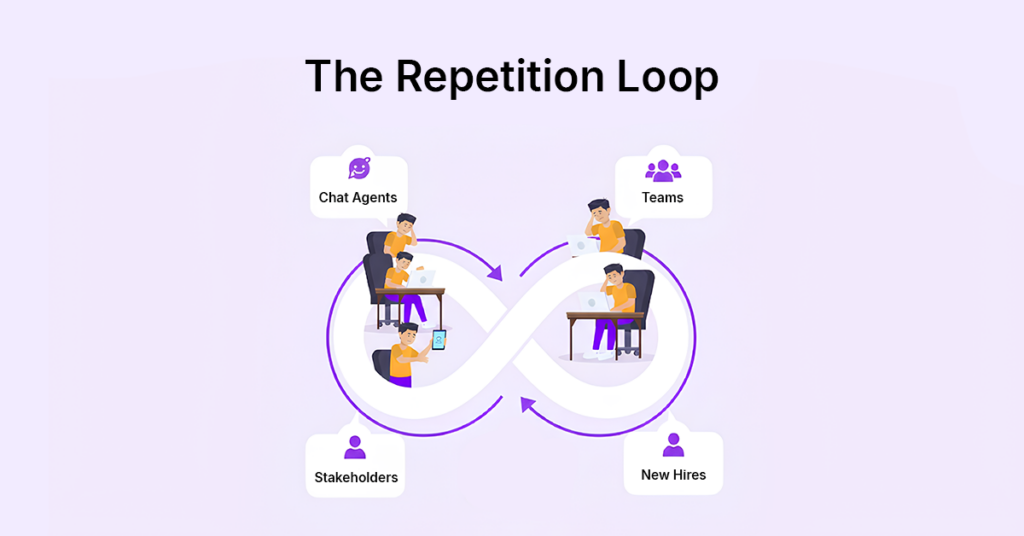
Endless AI context repetition loop amongst project stakeholders
So you compensate.
→ You add more background to prompts. →You paste old notes into new chats. →You over-explain to avoid wrong outputs. → You repeat yourself to teammates because you cannot trust the context survived.
Over time, repetition becomes part of the workflow. Not because it is efficient, but because it feels safer than dealing with misalignment later. The repetition loop traps most project managers, and no amount of task automation fixes it, because the problem isn’t execution speed, but context continuity.
Join 100s of Project Managers who pulled themselves out of this context-switching and brief-repetition loop. Download AI Context Flow Today!
Why Re-Explaining to AI is Worse Than Re-Explaining to People
When you explain a project to a human teammate, there is a return on that effort. They retain the information. They build intuition over time. They begin to anticipate constraints and make better decisions independently. AI does none of this by default.
→ Every new session starts blank. → Every new tool has no memory of the last one. → Every prompt resets understanding unless you manually rebuild it.
For project managers, this creates a new category of work that did not exist before. You are no longer just managing people and tasks. You are managing a better context for prompts in your head and in practice every single day.
→ You find yourself pasting the same background into different tools. → You rewrite the same explanations in slightly different words. → You hesitate to switch AI agents because you do not want to re-explain everything again. The frustration builds: can AI tools even remember my project details?
Ironically, this is precisely how AI increases context switching instead of reducing it. At some point, the mental cost outweighs the benefit. AI becomes something you use selectively instead of systematically. That is the opposite of productivity. Project managers lose 90-120 minutes daily (20+ hours monthly) rebuilding context when switching between tools and teams.
What’s the best way to share project context with AI tools? Traditional methods fail because of rebuilding context every time the need arises.
Every time you jump between tools, teams, or stakeholders, you’re not just multitasking. You’re reconstructing the entire project state from memory. You recall decisions. You remember constraints. You piece together dependencies and the reasoning behind past choices.
What is this costing you? Your time, energy, and productivity, altogether.
In a typical day, a PM switches context 10-12 times. Each switch takes 7 to 10 minutes just to reload the background. How much time do PMs waste on context switching over a month? An entire workweek spent rebuilding context that should already be visible.
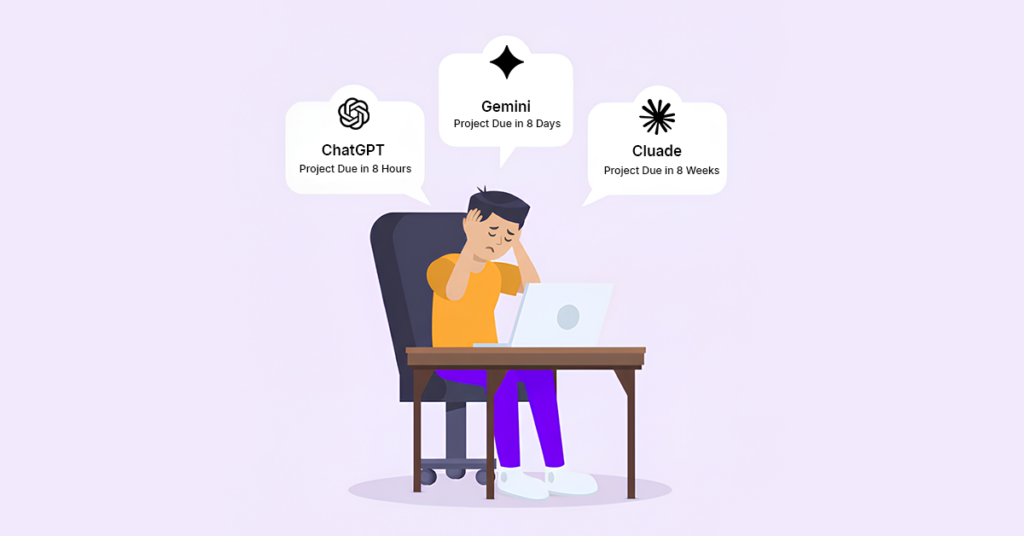
Project manager experiencing context switching fatigue across ChatGPT, Claude, and Gemini AI chat agents with different project deadlines
This hidden cost doesn’t show up in sprint velocity or dashboards. Instead, it shows up as PM fatigue, slower decisions, and reactive behavior that ripples through the team.
Stop losing 90 minutes a day to context switching. Try AI Context Flow free and keep your project knowledge flowing across every team and AI agent you use.
How Project Managers Can Switch Between AI Chat Agents Without Losing Context
The moment you switch from ChatGPT to Claude, or Claude to Gemini, your project context vanishes. You’ve spent 15 minutes explaining scope, constraints, and decisions to ChatGPT. Now you need Claude for technical documentation.
That entire context? Gone. You start over.
This creates a hidden tax on tool switching. You don’t avoid using the better tool for the job; you just delay it, resent it, or skip the context entirely and accept lower-quality outputs.
“AI Context Flow eliminates context loss between AI tools.”
Your project brief lives in one place and flows automatically to whichever AI chat agent you’re using: ChatGPT, Claude, Gemini, or any other. Each chat agent receives the same project reality: your scope, stakeholder preferences, technical constraints, rejected approaches, and decision history.
Here’s the practical difference that the open context layer enables, with one of its practical implications used in our Chrome extension:
Without AI Context Flow:
Open ChatGPT → paste project background → explain constraints → get output
Switch to Claude → re-paste background → re-explain constraints → get output
Use Gemini for research → rebuild context again → get output
Result: 20-30 minutes lost rebuilding the same context three times
With AI Context Flow:
Open ChatGPT → select the context in a click→ get output
Switch to Claude → same context already there → get output
Use Gemini → same context flows instantly → get output
Result: Zero time rebuilding. Full context every time.
First, add data from your tools into Memory Studio. Then, any AI agent you use can access that context. Your output is ready to paste into Jira, Slack, Notion, or wherever your team works, while you stay in control of how the context is applied.
What this preserves:
Decisions made in earlier sprints
Client feedback and preferences
Technical constraints and dependencies
Approaches already tested and rejected
Edge cases identified during planning
How AI Context Flow Works in Your Daily Workflow
Create your project brief once in AI Context Flow (5-10 minutes upfront)
Open any AI chat agent: ChatGPT, Claude, Gemini, or others
Context loads automatically via our Chrome extension (no copy-pasting)
Get accurate outputs instantly: drafts, updates, risk registers
Paste outputs where you work: Jira, Slack, Notion, email, presentations
Switch chat agents freely: your context travels with you
Your existing tools stay the same. Your AI agents just get smarter.
With the upcoming team sharing feature, your entire team will access the same project brief when they use AI chat agents: no more re-explaining the project to new team members or across time zones. AI Context Flow gives your entire team access to complete, up-to-date project context without you having to repeat it.
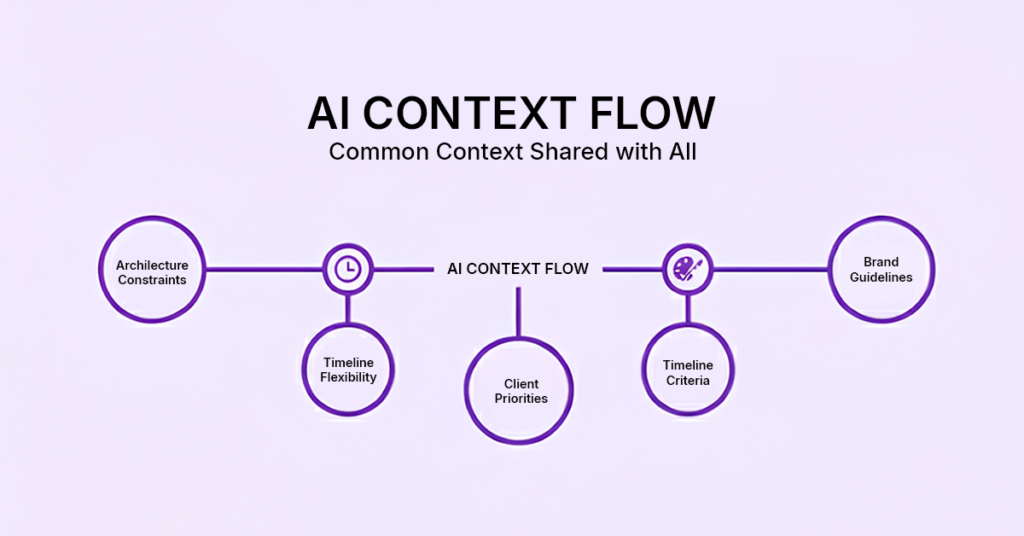
AI Context Flow for common context across all AI tools
For new team members joining mid-project:
Without shared context, onboarding means multiple 1-on-1s where you explain the project from scratch. The new developer asks about architecture decisions. The designer asks about brand constraints. The QA engineer asks about acceptance criteria. You’re their only source of truth, and they can’t move forward until you’re available.
With AI Context Flow, they access the project brief immediately. They see why specific approaches were rejected. They understand client priorities. They know the technical constraints. They ramp up in hours instead of days, and you’re not the bottleneck.
For distributed and asynchronous teams:
Timezone differences make context loss worse. Someone picks up a task at 9 PM your time. They need clarification, but you’re offline. They either wait (delay) or proceed with incomplete understanding (risk). Both options waste time.
When context is shared and persistent, your team in another timezone opens their AI chat agent, and the project brief loads automatically. They see everything, like the client’s exact requirements, the dependencies, and the edge cases discussed last week. They make informed decisions without waiting for you to wake up.
To reduce PM interruptions:
Count how many times someone asked you to re-explain something today. “What did the client say about timeline flexibility?” “Why can’t we use approach X?” “What’s the priority between feature A and B?”
Each question feels quick, 2 minutes on Slack. But 15 questions daily = 30 minutes of pure repetition. Over a month, that’s 10 hours explaining things you’ve already explained.
Shared context doesn’t eliminate questions. It eliminates repetitive questions. Your team checks the project brief first. Most answers are already there. They only interrupt you for genuinely new decisions, not information retrieval.
For keeping alignment during execution:
Context loss during execution is silent and expensive. The developer builds the feature correctly, but optimizes for the wrong constraint. The designer creates mockups that ignore a stakeholder’s stated preference. QA tests against outdated acceptance criteria.
No one made a mistake, but they just lost pieces of context as work moved between people and phases.
When your team shares project context continuously, alignment stays intact:
Developers see the why behind technical decisions
Designers understand stakeholder preferences before creating mockups
QA knows which edge cases were prioritized and which were deferred
Everyone works from the same version of reality
The compounding effect:
Fewer clarification Slack messages. Fewer “quick sync” meetings to realign. Fewer surprises during sprint reviews. Less rework because people built the wrong thing.
Your team operates more independently without drifting apart. They stop relying on you as the single source of truth because the truth is visible, structured, and shared. You’re no longer managing context; you’re focusing on a better strategy.
And when someone asks a question, they’re asking about a new decision, not rehashing an old one. That’s the kind of communication that actually moves projects forward.
How Portable Context Transforms Execution
When context is structured and portable, execution behavior changes immediately. Constraints appear before work begins. Decisions no longer live only in individual memory. AI chat agents produce consistent outputs because they receive the same project reality every time, whether you’re drafting in ChatGPT or reviewing in Claude. Teams stop asking repetitive questions because the answers are visible and stable.
Rework decreases because assumptions are clarified upfront, and project delivery becomes predictable rather than reactive. Here is a relief for PMs: it is no longer about creating multiple technical requirement documents for n number of stakeholders. You can now reuse the same context across multiple AI chat agents and with your team.
This isn’t about creating more documentation. It’s about making context reusable across humans and AI chat agents, so every conversation starts informed, not from zero.
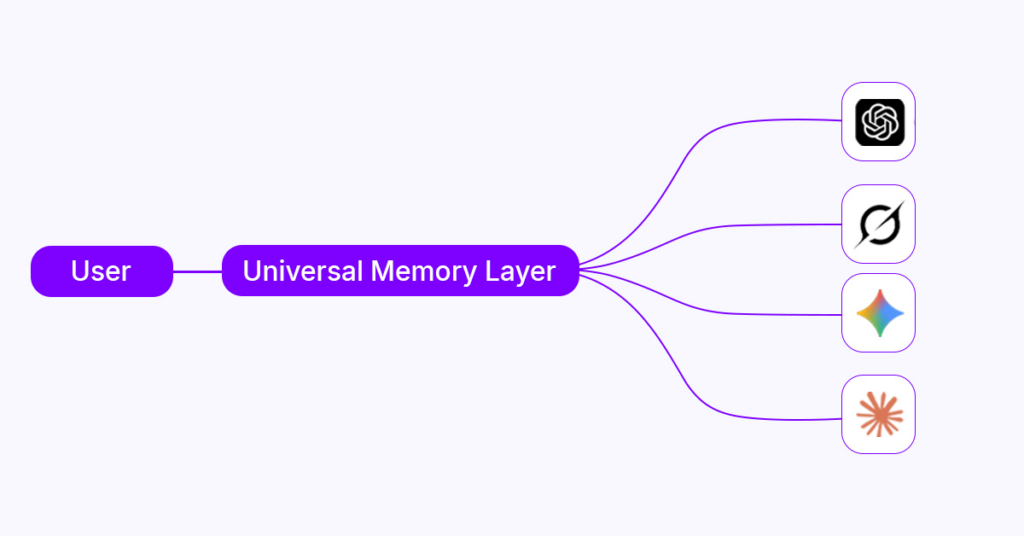
Universal AI Memory Layer that works across all major AI platforms
What this enables:
→ Fewer clarification loops → Cleaner first drafts → Faster AI-assisted execution → Reduced PM intervention → Paste-ready outputs from chat agents that reflect actual project constraints
Let The Context Flow Effortlessly With Our Chrome Extension
With a structured and universal AI context, you stop acting as a translator between disconnected chat sessions and team members.
You no longer carry the entire project in your head. You don’t repeat decisions that should already be visible.
Your role shifts from explaining work repeatedly to designing how understanding flows across people and tools. Communication doesn’t disappear entirely; it just becomes higher leverage. Conversations build on shared reality rather than reconstructing knowledge from scratch. AI-powered project management supports progress rather than derailing it, and execution validates alignment rather than exposing gaps. When this system works, Phase 4 no longer triggers panic. With AI Context Flow, turn execution into a confirmation of readiness rather than firefighting at every milestone and every phase of delivery.
Start Working With Full Context Today!
Download the AI Context Flow Chrome extension and eliminate 90+ minutes of daily repetition. Your first project brief takes 10 minutes, and you start saving time immediately.
What problem does universal AI memory actually solve for project managers?
Universal AI memory solves context decay when decisions scatter across tools and people. It automatically preserves project context, eliminating the need to reconstruct or re-explain the project state repeatedly.
How is universal AI memory different from traditional project knowledge management?
Documentation is static and requires manual searching. Universal AI memory is active. It automatically supplies context to humans and AI systems in the moment of work, ensuring decisions and constraints are applied consistently without rereading long documents.
Does this replace tools like Jira, Confluence, or Notion?
No. AI Context Flow works with your AI chat agents to produce better outputs that you then use in your existing tools. It ensures the context you give to ChatGPT, Claude, or Gemini is consistent and complete, so you spend less time re-explaining and more time executing.
Will this reduce the number of meetings?
It reduces clarification meetings, not alignment meetings. Teams still need discussion, but they no longer meet just to rediscover what the client decided or approved earlier.
How does shared context reduce scope creep?
By stabilizing assumptions early. When constraints and decision boundaries persist, teams are less likely to reinterpret requirements differently during execution. Clarity minimizes scope creep.
Can AI memory adapt when project requirements change?
Yes. You can append the changes by saving them, without overwriting previous contexts. This feature allows teams and AI to understand how and why the project evolved, rather than only seeing the latest version without historical context.
Is this only useful for large or complex projects?
No. Smaller projects often suffer more because they rely heavily on verbal alignment. When one person leaves or forgets the project deliverables, delivery breaks faster. Universal context improves resilience at all scales.
How does this improve outputs from ChatGPT, Claude, and other AI chat agents specifically?
AI for project managers performs better when it has persistent access to constraints, prior decisions, and rejected options. AI Context Flow prevents repetitive corrections and ensures outputs align with project reality from the first draft.
Does using shared AI memory reduce the role of the project manager?
It reduces low-value explanation work, not leadership. PMs spend less time repeating information and more time on project management automation, risk management, and stakeholder strategy.
How do you know your project needs a universal context layer?
Your project needs a universal context if:
It only makes sense when you explain it.
Decisions are repeatedly clarified across tools and teams, a sign of dependence on fragile human memory.